
How to find all the subscriptions you're paying for
To find all the subscriptions you're paying for, go through 12 months of statements for every bank account and card, then check the services that bill for you, such as Apple, Google, PayPal and Amazon. Add each one to the Subscription tracker to see your total per month, per year and over ten years. The tracker doesn't find them for you: you do the looking, and it does the math.
Runs in your browser. Nothing uploaded, no account.
Why go back a full 12 months?
A full year of statements catches yearly plans, because an annual charge shows up just once. If you only check last month, you'll see your monthly subscriptions but miss annual renewals and most quarterly ones. They're easy to forget because they show up so rarely.
The steps
- List every place you pay from. Include each bank account and card, plus old cards that are still open. A forgotten card can still be paying for a forgotten subscription.
- Read 12 months of statements. Look for the same merchant at the same amount, on a regular schedule. Small charges count. If you don't recognize a name, search for it, since the name on a statement can be a parent company or a billing service.
- Check the app stores. App subscriptions are often billed through Apple or Google, so the statement may only name the store. On an iPhone, open Settings, tap your name, then tap Subscriptions. On Android, open the Play Store, tap your profile picture, then go to Payments & subscriptions and Subscriptions.
- Check other services that hold your card. In PayPal, go to Settings, then Payments, and look for automatic payments or subscriptions. The label varies. In Amazon, look for memberships and subscriptions in your account.
- Search your email. Try "subscription," "renewal," "receipt," "auto-renew" and "free trial." This can turn up services you signed up for with a different card, and trials that turned into paid plans.
- Check your phone and internet bills. Add-ons and streaming plans can be billed through your provider, so they may never appear as their own line on a card statement.
- Ask anyone you share money with. A partner or family member may have signed up for something on a shared card.
What should you do with the list?
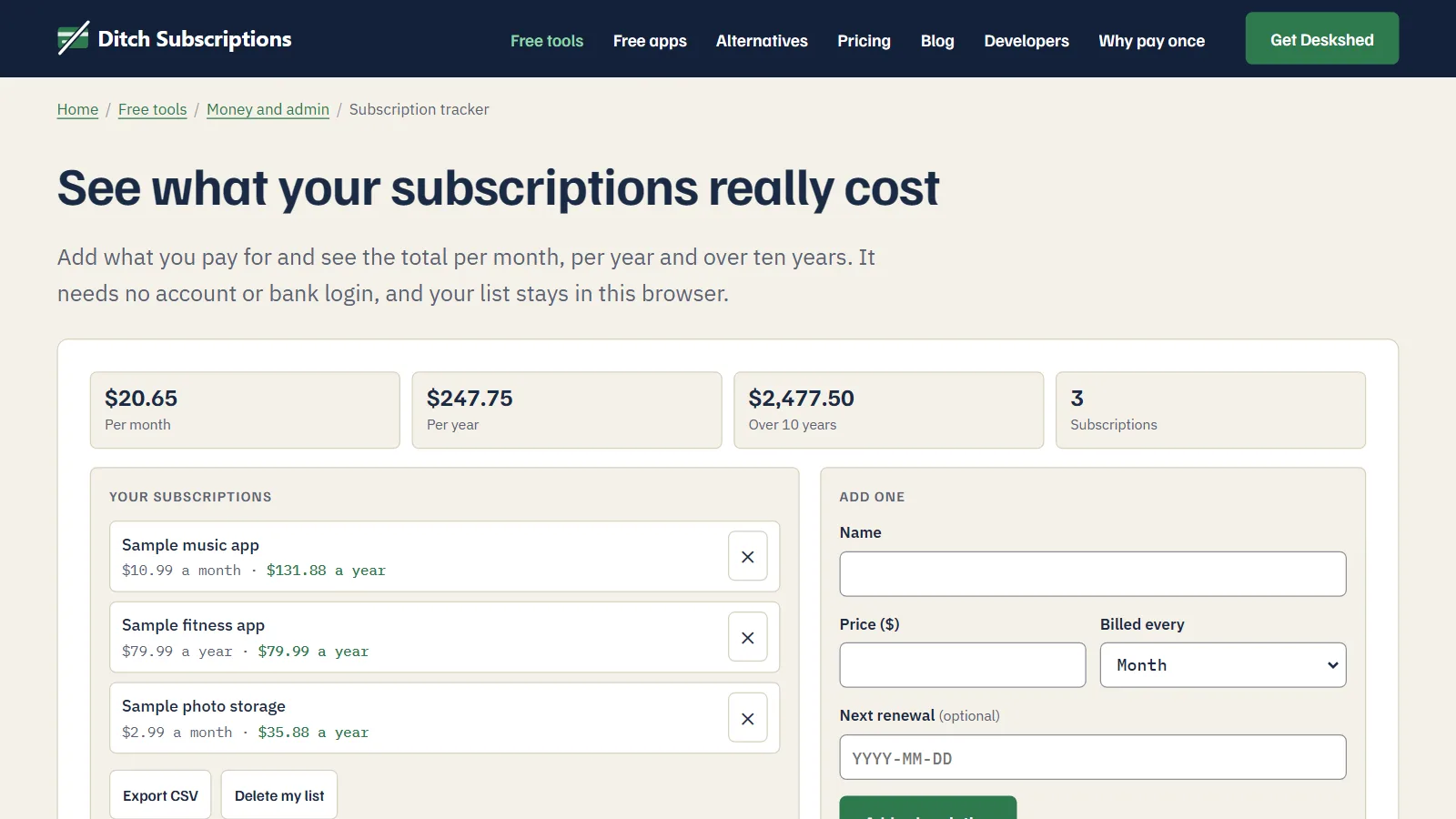
Add each subscription to the Subscription tracker so you can see the total in one place. Enter the name, the price and how often you're billed: every week, month, quarter or year. It sorts the list by yearly cost, so your most expensive subscription sits at the top.
You can also add the next renewal date, typed as YYYY-MM-DD. A renewal within the next 14 days is marked "soon," which is useful for a yearly plan you're thinking of dropping. The tracker only shows this on the page, so it won't send you a reminder.
The ten-year figure is your yearly total times ten. It assumes no price rises, so treat it as a plain sum and not a forecast.
Do you need to connect your bank?
No. The Subscription tracker can't connect to a bank, so you type in what you pay. That takes a few minutes, but nobody gets access to your account. Your list is saved in your browser on that device, with no account, and you can check how this site handles your data on our security page.
Two things follow from that:
- Clearing your browser data deletes the list. Use Export CSV to keep a copy. The tracker has no import button, so think of that file as your own record, which opens in any spreadsheet app.
- It won't follow you to another device. A list on your laptop won't appear on your phone.
When is another option better?
If you want your subscriptions spotted for you, this isn't the right tool. Some banking apps flag recurring payments, so check yours first. Budgeting apps that link to your accounts can also detect them, but you're giving that app access to your financial data, so read what it does with it.
If you already keep a budget in a spreadsheet, a new tab with the same list works fine.
How do you know you've found them all?
You can't be completely certain, but 12 months of statements from every account catches nearly anything billed to those accounts. The likely gaps are a card you forgot, a plan billed less than once a year, and a plan paid by someone else. Read your next couple of statements against your list, and anything new will stand out.
List what you pay for and see what it really costs each year. Free, in your browser, nothing uploaded.