
Deskshed: sign, fill in and redact PDFs, and fix whole folders at once
A Windows app you pay for once. Sign a lease, fill in a form, black out an account number for real, and run jobs on whole folders of photos and PDFs. Your files stay on your computer.
Buy Deskshed for $5 One-time · Windows · one computer
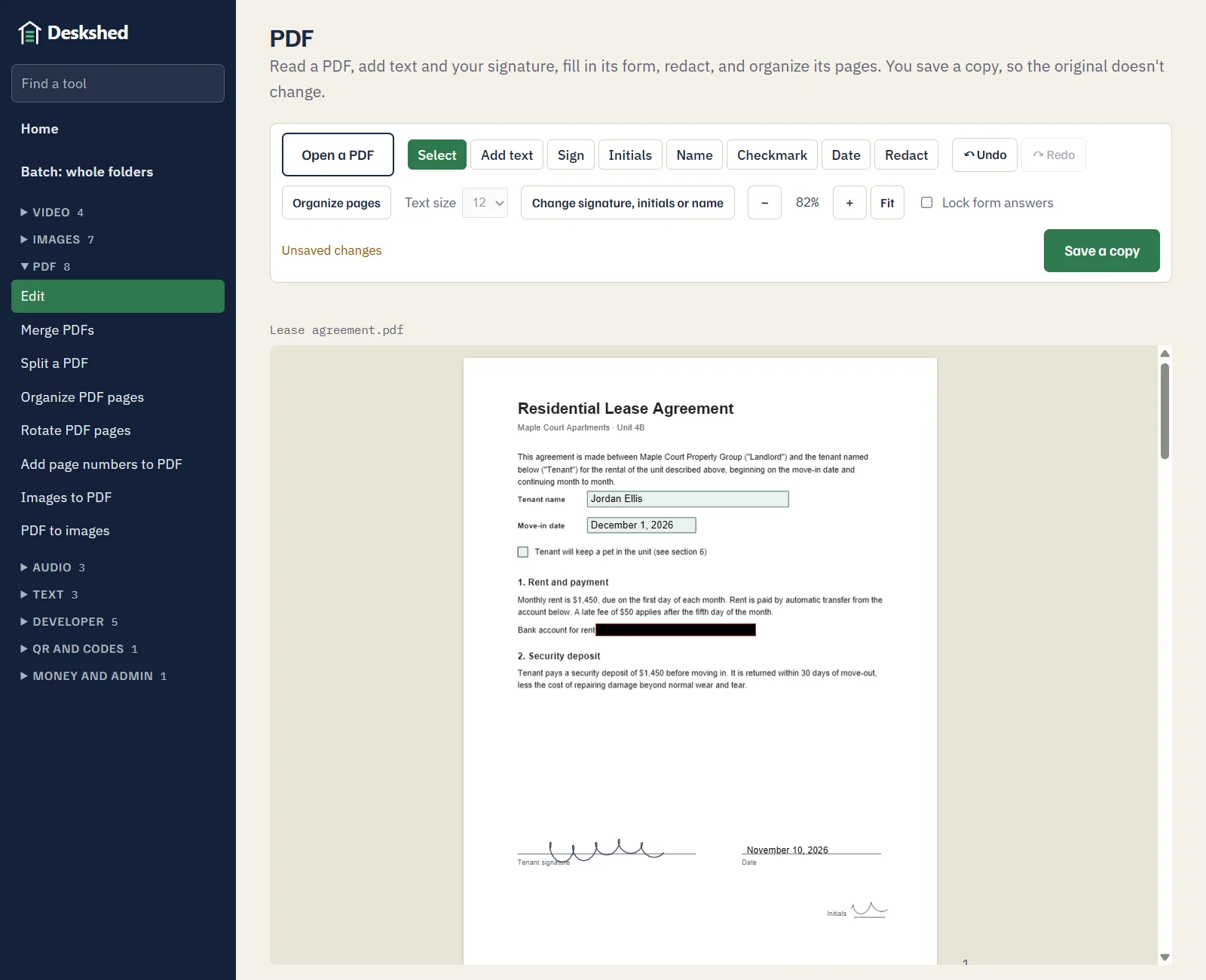
Sign and fill in PDFs
- Sign, initial and date. Draw your signature and initials once, then click to place them wherever they're needed. Add your name and today's date the same way.
- Fill in forms. Text boxes, checkboxes, dropdowns and choices work right on the page. Lock the answers when you're done, so others can't change them.
- Add text anywhere. Type straight onto the page, as many lines as you need.
- Undo and redo. Ctrl+Z takes back any step.
- Your original stays as it was. You save a signed copy next to it.
Redaction that actually removes the text
Covering text with a black box in most editors only hides it: the words are still in the file, and anyone can copy them out. Deskshed saves a redacted page as a picture with the box painted in, so what was under it is gone.
We check this when we test Deskshed: the redacted words, and the document's title, author and attachments, are nowhere in the saved file, down to its compressed parts.
The trade-off: text on a redacted page can no longer be selected or searched.
Put pages in order
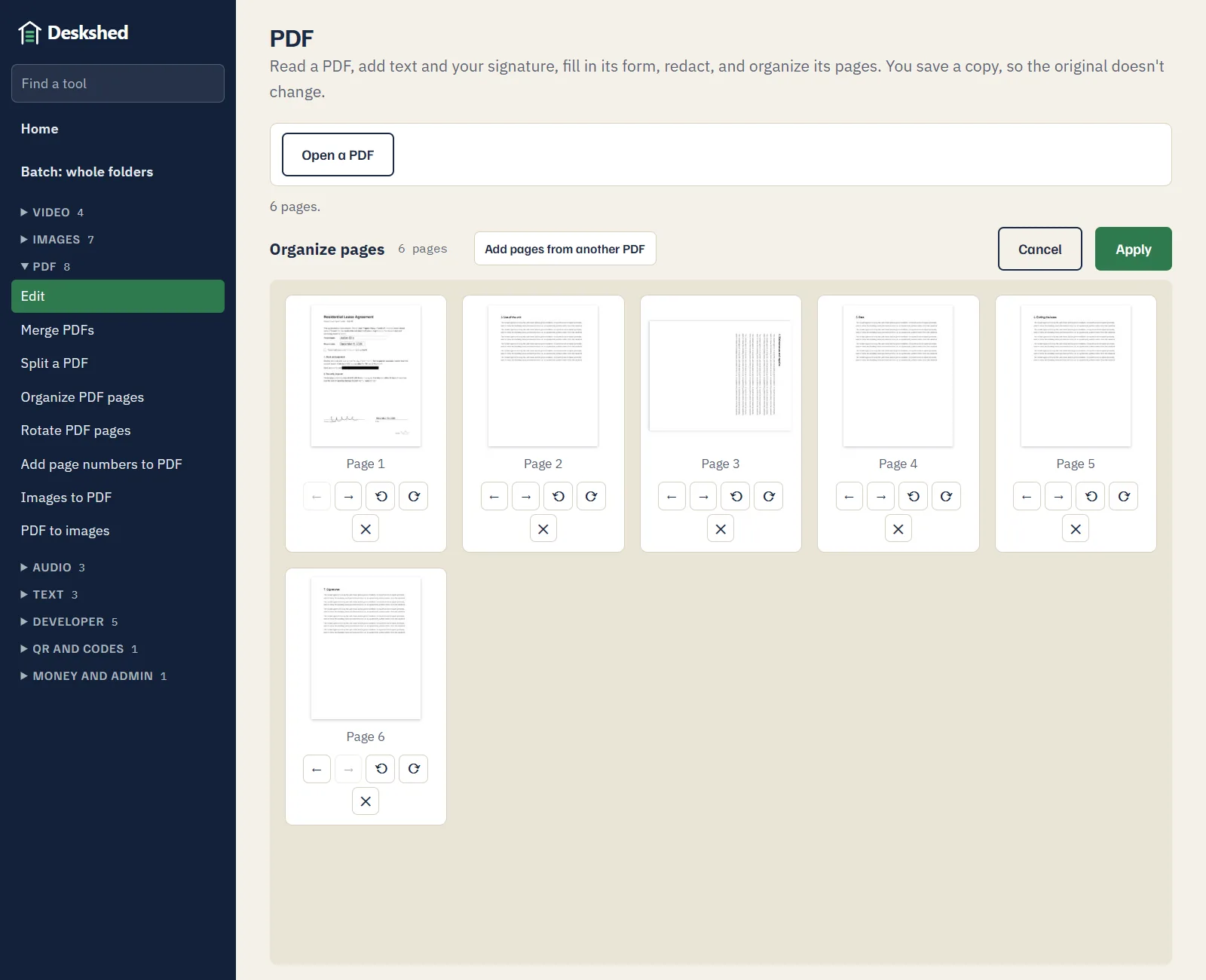
Move pages, turn sideways scans the right way up, remove the ones you don't need, and add pages from another PDF. A removed page is really gone: it can't hide inside the new file behind a link.
Whole folders at once
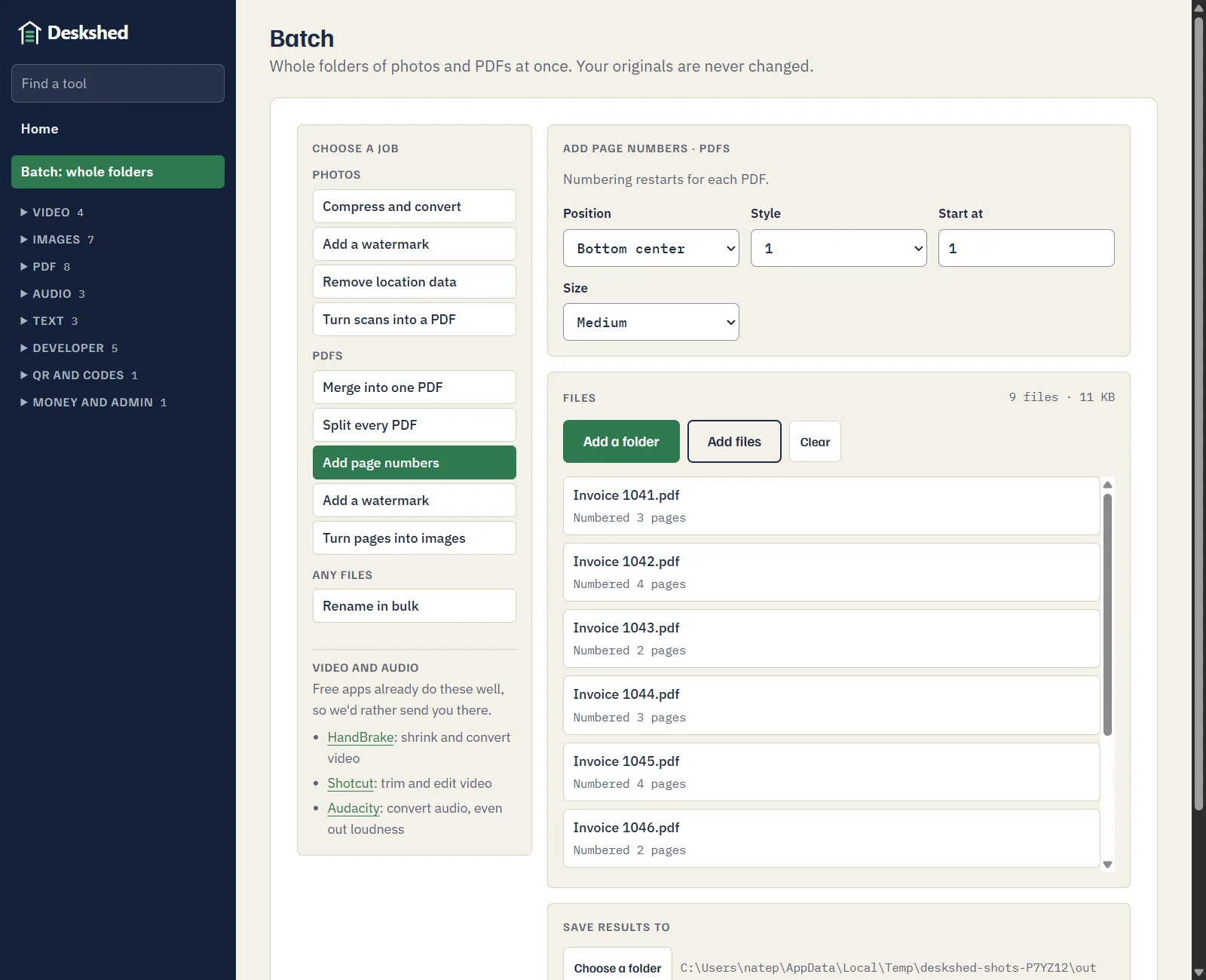
Pick a folder and a job, and Deskshed works through every file in it, subfolders included. Your originals are never changed.
- PDFs: merge a folder into one PDF, split every PDF, add page numbers, add a watermark, or turn pages into images.
- Photos: compress and convert, add a watermark, remove location data, or turn scans into a PDF.
- Any files: rename them in bulk, as copies.
Opens your PDFs
Right-click a PDF or a photo and choose Open with, then Deskshed. If you'd like it to open every PDF you double-click, it takes you to the page in Windows Settings where you choose that. It never makes itself the default on its own.
What it doesn't do
- Video. Free apps already do it well, so we point you to them on the free apps page.
- Rewrite existing text in a PDF. You can add text, but not edit what's already there.
- Read text in scanned pages. Not yet.
- Mac. Windows comes first.
Price
$5 one-time for the first 1,000 buyers, then $9. For Windows, for one computer. Full pricing.
Checkout is run by Stripe and sold through Link, which handles the payment, sales tax and your receipt. After paying, you go straight to the download.
Common questions
How do I get Deskshed?
Buy it on this page: $5 one-time for the first 1,000 buyers, then $9. After you pay, you go straight to the download. It's for Windows, for one computer.
Why does Windows warn me when I install it?
Deskshed isn't code-signed yet, so Windows shows a "Windows protected your PC" screen for apps it doesn't know. Choose More info, then Run anyway. Signing is on our list, and the warning goes away once it's done.
Are my files uploaded anywhere?
No. Deskshed works on your own computer, with no account and no internet connection needed. Your PDFs and photos never leave it.
Is a signature from Deskshed legally binding?
Deskshed places a signature you draw onto the page, like signing a printed copy and scanning it. It isn't a certified digital signature with an identity check. Whether a signed PDF is accepted is up to whoever you send it to, so ask them if you're not sure.
Does redaction really remove the text?
Yes. A page with a redaction box is saved as an image with the box painted in, so the text, images or form answers under it are gone from the file, not just covered. The saved copy also leaves out the document's title, author, attachments and bookmarks. The trade-off is that text on that page can no longer be selected or searched.
Can it change the text that's already in a PDF?
No. You can add text anywhere, but not rewrite what's already there. For that, edit the original document, in Word for example, and save it as a PDF again.
Does it work on a Mac?
Not yet. Windows comes first, then Mac.